


Your security systems, looked after once they are live.
Cameras, door access, badging and the network under them. Managed watches them, fixes what breaks, and connects them to the systems your people already use, older on-prem gear included.
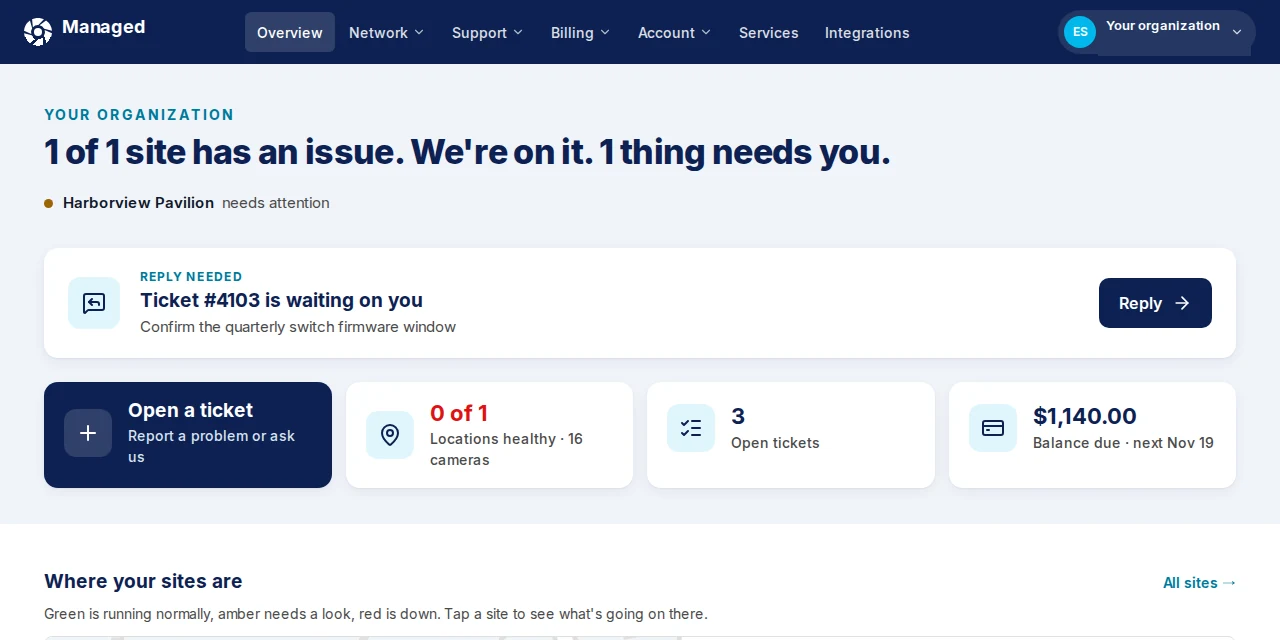
See what you get
These are screenshots from the real Managed app, using a test account. When something breaks, you can see it, and you can see that a person is already on it.
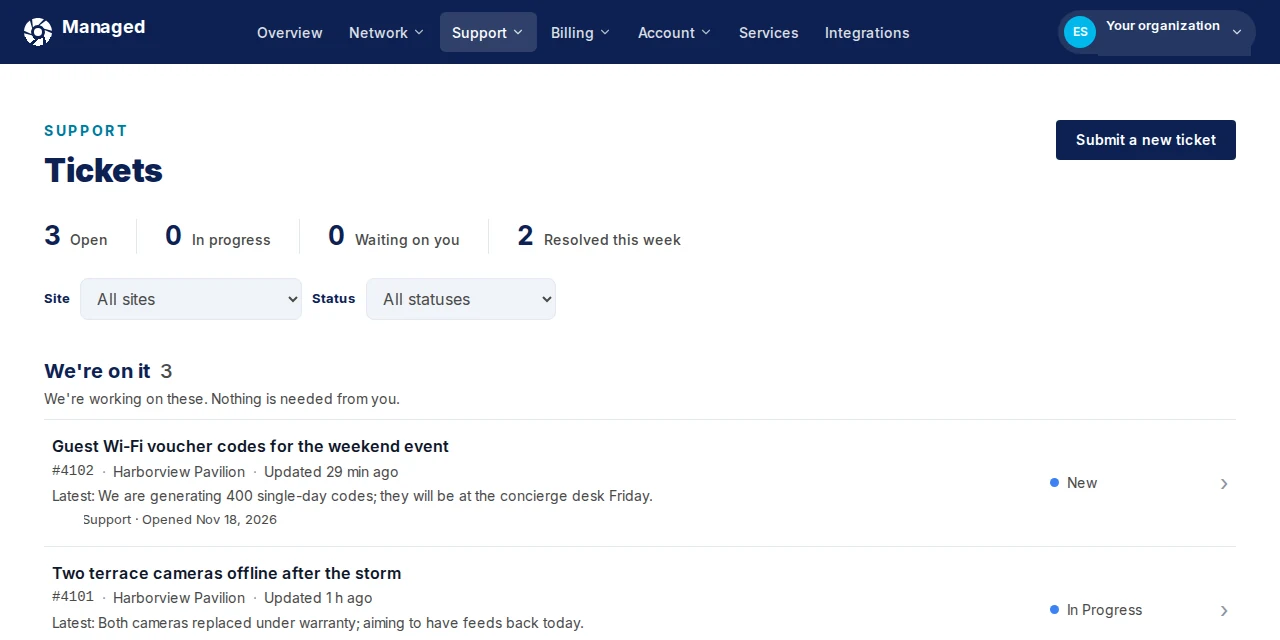
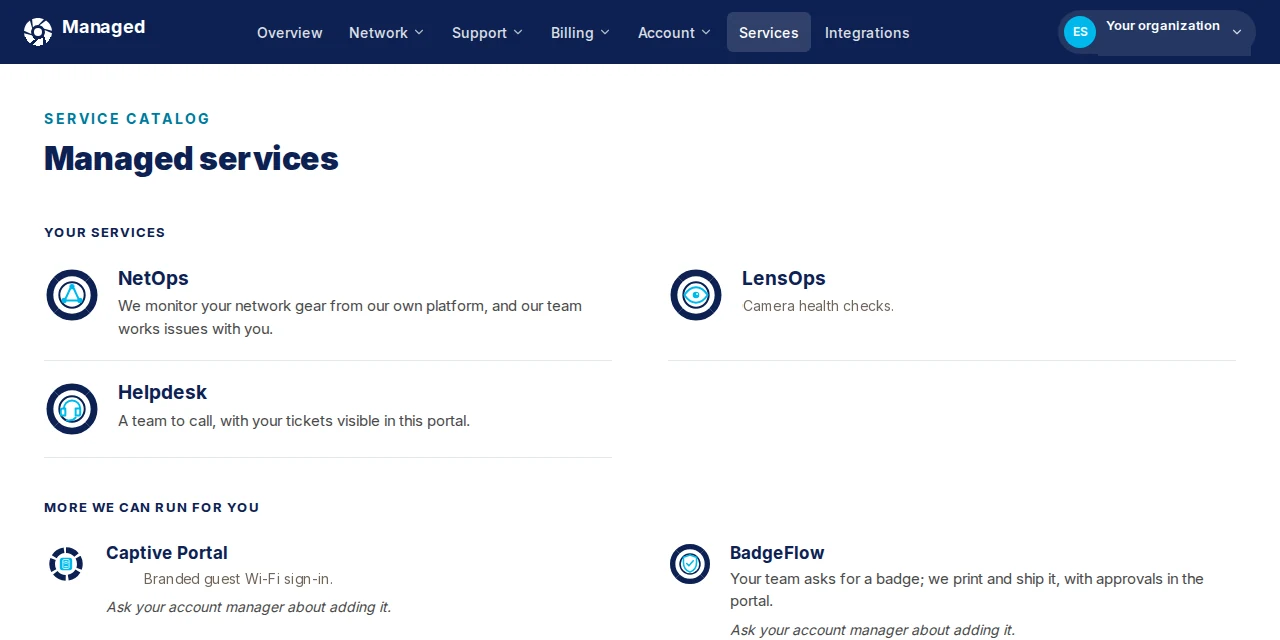
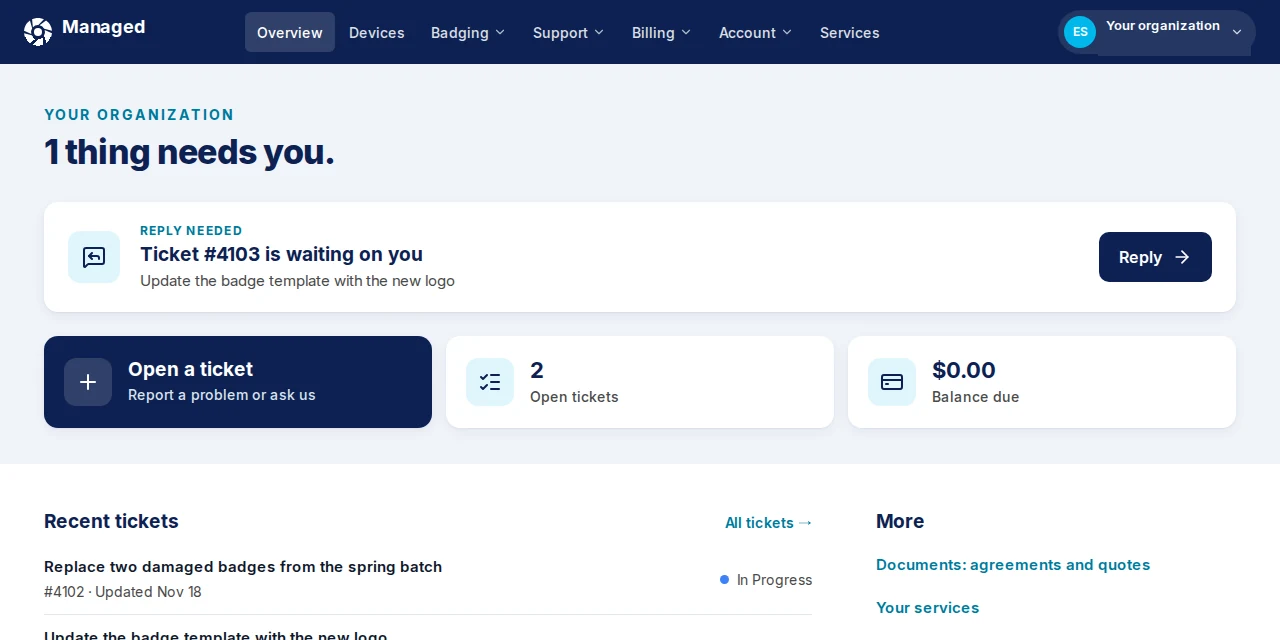
Want a closer look? More views of the app. If you run the sites, talk with us. If you install or resell, see the partner path.
When one system changes, the others follow.
Managed connects your cameras and doors to the HR, identity, ticketing and chat tools your teams already use. Every connection is labelled with how it gets set up.
 Cisco Meraki
 Managed NetOps
- Microsoft 365

 Ubiquiti UniFi Access



 Okta



 ADP Workforce Now
 Gusto

- ServiceNow
 Jira
 Zendesk
- AutoTask
 Datto RMM
- Microsoft Teams
 Slack
 Managed Cellular
- Salesforce
 HubSpot
 Airtable
 Apple Business Manager
Featured integrationMeraki guest Wi-Fi, on your brandA branded Meraki captive portal for your guest network, set up and changed by our team. Built for hotels and any site with guests.See how it works - WhenSomeone joins, moves or leavesThenBadge and door access updated after a person approvesAccess control systemAvailable on request
- WhenA camera drops offlineAny camera systemThenTicket opened, alert posted to TeamsServiceNowAvailable on request
- WhenA badge is printedBadge printerThenThe card works. Revoke the badge and it stopsAccess control systemAvailable
- WhenA building moves to a cloud platformOn-prem access panelThenPeople and credentials kept in step until cutoverCollectorAsk us
Example workflows, not customer deployments. Labels match the integrations list: Available is switched on today, Available on request is built with you, and Ask us means we check what your systems allow first.
Keep the panel. Add the cloud.
The collector is a small virtual or physical box on your network. It reads the access panels, video recorders and badge lists that cannot reach the cloud on their own, and keeps them in step with your cloud platforms and service desk while you move a building at a time.
- 01Reads what you have
Panels, recorders, badge databases and HR directories.
- 02Keeps it in step
People and credentials match on both sides until the last building cuts over.
- 03Raises what breaks
If a device drops, a ticket opens and a person picks it up.

From badge request to a card that opens the door.
BadgeFlow takes a request from your portal or service desk, waits for a person at your site to approve it, sets up the card in your access system where it is connected, and prints the badge at a kiosk or ships it from Managed.
- RequestFrom your portal or service desk
- ApprovedA person at your site says yes
- Access systemUser created, card assigned
- PrintedAt a kiosk, or by Managed and shipped
- ClosedTicket updated and logged
Illustration of the badge flow. Kiosks and print options are scoped per site.
The services that keep it running.
LensOps
We check that every camera is online and recording, cloud or on-prem, on the camera system you already run. When one is not, a ticket opens and a person follows up.
From $3 per camera per month, or $8 with fixes
More about LensOpsAccessOps
Door access that stays in step with who works for you. Changes come from HR or your service desk, and a person approves each one.
From $195 per site per month for 4 doors or fewer
More about AccessOpsBadgeFlow
Your team asks for a badge, we print it and send it, or you print at a kiosk. Where your access system is connected, the card works the moment it is printed.
Printed on your card stock, at a kiosk, or printed and shipped by Managed. White-glove with card and shipping, $24 per badge
More about BadgeFlowNetOps
We watch the switches, access points and firewalls under your cameras and doors, including Cisco Meraki, and work the issue with you.
Priced per environment
More about NetOpsAll 12 servicesManaged IT from $1,449 per month for 10 hours.
We run our own space on it first.
The Node is a coworking space in West Chester, PA, and Managed is its own first customer there. A booking opens the right doors for the booked time, and members can unlock from an app.
You keep the customer. We run the systems.
Refer, resell, co-deliver under agreed runbooks, or white-label. We can run systems you install, and systems already on site. Agree who sells, who supports and who delivers, and the commercial terms up front.
Discuss a partner opportunityPartner names belong to their owners. Services are not available in all locations, and some require a state license. See our Licenses page.